

Oh and i never even thought of asking is your intent with the copying it to a dvd for purpose's of playing it on a dvd player or just to make a copy for you or your friend etc ?
Computer Experts
- Thread starter Dr_Shakalu
- Start date
You are using an out of date browser. It may not display this or other websites correctly.
You should upgrade or use an alternative browser.
You should upgrade or use an alternative browser.
I just wanted a copy for myself. I tried your link but it kept asking for this and that.
What should I do to use the program?
What should I do to use the program?
Dr_Shakalu;4847127; said:I just wanted a copy for myself. I tried your link but it kept asking for this and that.
What should I do to use the program?
Well if you just want a copy and aren't worry about being able to use it on your tv and just want to use it for your pc. Check and see if you dvd burning software has a cd or dvd copy assuming you have more than one physical drive ex. cd drive and dvd drive
And from there you can just burn a exact copy of it but if you just have a dvd drive i can show you guides on how to do that as well because it will probably require you to save the contents on file and burn from there.
I'll download dvdfab that way i can best direct you to make things easier as well
I just want to use it for my dvd player. Also, thanks for your time in helping me out, The Doctor
Sniperofgods;4847141; said:Well if you just want a copy and aren't worry about being able to use it on your tv and just want to use it for your pc. Check and see if you dvd burning software has a cd or dvd copy assuming you have more than one physical drive ex. cd drive and dvd drive
And from there you can just burn a exact copy of it but if you just have a dvd drive i can show you guides on how to do that as well because it will probably require you to save the contents on file and burn from there.
http://software.badgerit.com/SVCD2DVDV2.0.html That link worked for me for svcd2dvd you just have to open it up because its a rar file but that link should prompt the download, and just follow the guide because converting the file with dvdfab would require you to convert the file from the svcd and save it somewhere and then burn that file onto a dvd which i can explain if you would rather do that, and i currently don't have a svcd so i would have to burn one to make sure it would fully work.
and no problem anything to help someone out
and no problem anything to help someone out
Thanks, I'll try it tomorrow because all of a sudden. my wife needs the computer. Thanks again, The Doctor.
Sniperofgods;4847193; said:http://software.badgerit.com/SVCD2DVDV2.0.html That link worked for me for svcd2dvd you just have to open it up because its a rar file but that link should prompt the download, and just follow the guide because converting the file with dvdfab would require you to convert the file from the svcd and save it somewhere and then burn that file onto a dvd which i can explain if you would rather do that, and i currently don't have a svcd so i would have to burn one to make sure it would fully work.
and no problem anything to help someone out
No problem and i will burn a svcd and get all the steps from dvdfab and write a full description of the steps and hopefully its successful.
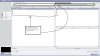
Alright here is the run down
Then from there just get a dvd bruning software locate the new files that you converted and put them on the dvd using the create a dvd. i use roxio easy cd creator but dvdfab is only for ripping dvds and cloning them it doesn't have a dvd creater in the software but you can use whatever you like. Roxio,nero etc


Then from there just get a dvd bruning software locate the new files that you converted and put them on the dvd using the create a dvd. i use roxio easy cd creator but dvdfab is only for ripping dvds and cloning them it doesn't have a dvd creater in the software but you can use whatever you like. Roxio,nero etc
